
A logfile analysis shows how bots really crawl a website, independent of what sitemap, Search Console, or ranking tools suggest. It is the most precise instrument for uncovering crawl budget waste, understanding indexing problems at their root, and prioritizing SEO measures based on real data. A well-founded SEO strategy cannot bypass this.
Rankings are a symptom. What lies beneath, which pages the Googlebot actually visits, how frequently and with what result, remains invisible in most SEO audits. That's often where the most valuable optimization levers are hidden.
What is a logfile analysis in the SEO context?
What's in a server logfile?
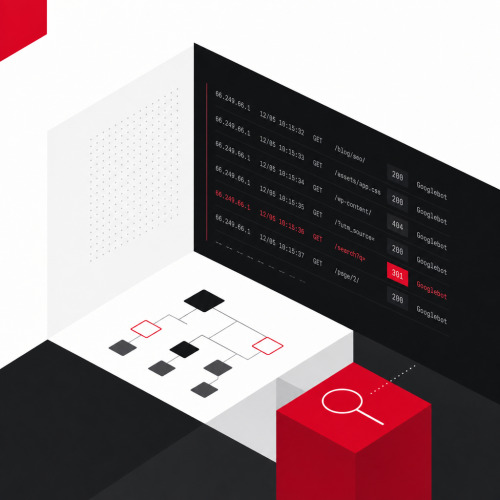
A logfile is an automatically generated protocol file on the web server. Every access leaves an entry with IP address, timestamp, requested URL, HTTP status code, and user agent. This includes all access: human users, search engine bots, AI crawlers, and unwanted automation.
For SEO purposes, the focus is on bot access, particularly the Googlebot. The Combined Log Format is the standard for meaningful SEO evaluations: It additionally contains referrer information and user agent strings that are crucial for bot identification.
How does logfile analysis differ from other SEO tools?
Logfile analysis provides a different perspective than all other available data sources:
| Data Source | Perspective | Strength | Weakness |
|---|---|---|---|
| Web Analytics (GA4) | User | Conversions, session behavior | Bots not directly visible |
| SEO Crawler (e.g. Screaming Frog) | User simulation | Page structure, on-page elements | No real bot behavior |
| Google Search Console | Google-side | Index Coverage, performance data | Aggregated, delayed, not URL-granular |
| Server Logfile | Bot (raw data) | Real crawl behavior, real-time | No performance or conversion data |
Search engine optimization requires understanding how search engines consume content. Server logfiles are the most direct path there. The Google Search Console complements this picture, but doesn't replace it.
Why is logfile analysis a strategic SEO lever?
What does a logfile analysis reveal that other tools hide?
Five insights make logfile analysis so valuable for SEO:
Which URLs Googlebot actually crawls. Logfiles frequently show surprises: pages with strategic relevance barely appear. Outdated archive pages, filter combinations, and paginations are visited daily instead. This wastes crawl budget and directs Google's attention away from important content.
Crawl frequency per URL cluster. Googlebot crawls pages more frequently that it considers relevant or current. A low crawl frequency for important landing pages is a direct signal: Google evaluates these pages as less valuable than one's own SEO assessment suggests.
Status codes from Google's perspective. In the browser a page runs error-free. Googlebot sees a 500, a three-stage 301 redirect chain, or a soft 404. Such errors don't reliably land in the Search Console. They do in the logfile.
Crawl peaks and drops over time. A sudden decline in crawl activity after a relaunch is a warning signal. Likewise crawl spikes on pages that don't deserve attention. The temporal progression shows what static snapshots hide.
AI crawlers and other bot activity. AI bots increasingly appear in server logs: GPTBot and OAI-SearchBot (OpenAI), PerplexityBot, Google-Extended, and ClaudeBot crawl for AI training data and live answers. GA4 doesn't capture these bots. The logfile is the only reliable source for understanding and strategically controlling their behavior. Data that is also crucial for AI visibility.
The robots.txt controls which areas crawlers may enter. Only logfile analysis shows whether this control actually works. And on-page SEO unfolds its effect only on pages that Googlebot visits regularly.
How is a logfile analysis carried out in practice?
What technical prerequisites are needed?
Logfiles reside on the web server. SEO teams gain access via the hosting panel, directly via SSH, or in coordination with the IT department. Apache and Nginx store logs in standardized formats. CDN providers like Cloudflare or Fastly offer their own log exports. For a meaningful analysis, at least 30 days are recommended, better 90, to recognize trends and seasonal fluctuations.
How can bots be identified and verified?
A logfile contains all access: users, bots, and monitoring services. For SEO analysis, first filter for bot traffic, with user agent strings as the basis. For Googlebot, Google additionally recommends a reverse DNS lookup for verification: Only requests with reverse-resolvable googlebot.com domains are genuine Google crawlers. User agent strings can be faked; IP verification protects against misinterpretations.
AI bots can be isolated via regex search, for example with a filter on GPTBot, OAI-SearchBot, ChatGPT-User, or PerplexityBot. Their crawl patterns differ significantly from Googlebot: OpenAI's bots don't render JavaScript and don't use XML sitemaps. Purely client-side delivered content remains invisible to them. How LLM systems evaluate and cite content is explained in a separate article.
How do you meaningfully segment logfile data?
Individual URLs provide little insight. Only grouping by URL clusters (blog, category, product, filter, pagination) makes patterns visible. Relevant evaluation dimensions are crawl frequency per cluster, status code distribution, bot composition, and temporal progression.
Which tools support logfile analysis?
| Tool | Strengths | Limitations |
|---|---|---|
| Screaming Frog Log File Analyser | Beginner-friendly, direct connection with crawler export | Limited free version, no live data |
| ELK Stack (Elasticsearch, Logstash, Kibana) | Scalable, custom dashboards, open source | Technical setup, server resources needed |
| BigQuery + Looker Studio | Combination with GSC possible, scales strongly | Requires data engineering knowledge |
| SaaS Solutions (e.g. Splunk, Sumo Logic) | Real-time monitoring, no local setup | Additional costs, vendor dependency |
For initial analyses, the Screaming Frog Log File Analyser is suitable. For scalable, continuous setups on large websites, ELK Stack or BigQuery-based solutions are recommended. Setup, data volume, and interpretation are complex; specialized teams bring established tools, scripts, and experience from comparable projects.
How can logfile analysis be combined with Google Search Console?
The Google Search Console shows which pages are indexed, which errors were reported during crawling, and how individual URLs perform in search. It is indispensable, but limited.
The GSC works with aggregated and delayed data. Soft 404 pages often don't appear there as errors. Redirect chains aren't marked as problems, but measurably slow down Googlebot. The complete view of actual crawl behavior is missing.
Three combination approaches bring the greatest added value:
GSC Index Coverage + Logfile Crawl Frequency. Pages that are indexed but barely crawled anymore indicate decreasing relevance from Google's perspective. This is a signal to revise or consolidate content.
GSC Performance + Logfile Cluster. URL clusters with good organic traffic that are crawled less frequently than other areas need stronger internal linking or more authority.
GSC Errors + Logfile Status Codes. What the GSC reports as errors is found in the logfile with exact timestamp and frequency. This makes prioritizing fixes significantly easier and more data-driven.
Which SEO potentials can be concretely uncovered through logfile analysis?
Three typical practical scenarios show how direct SEO measures arise from logfile data.
Scenario 1: Crawl budget wanders into the filter jungle. Googlebot spends around 30 percent of its crawl activity on filter pages and parameter URLs without ranking potential. These URLs are internally linked and technically accessible. Google crawls them because it can. Measures: Configure parameter handling in the GSC, adjust robots.txt, set noindex for parameterized URLs, and remove internal links to filter combinations.
Scenario 2: Important category pages are barely crawled. The strongest landing pages appear only once per week in the logs, while older archive pages are visited daily. Crawl weight is distributed incorrectly. Measures: Check internal linking structure, redirect authority from frequently visited pages to under-crawled URLs, clean up sitemap. At SEOday 2025, internal linking as a direct measure from logfile findings was one of the central practical topics.
Scenario 3: Many impressions, high crawl frequency, weak CTR. The combination of GSC performance data and logfile frequency shows pages that Google considers relevant and visits regularly, but that are barely clicked in search. This isn't a crawl problem, it's a snippet problem. Measures: Revise meta titles and descriptions, add structured data.
The following overview shows other typical crawl patterns with causes and countermeasures:
| Problem | Logfile Signal | Measure |
|---|---|---|
| Important pages under-crawled | Low crawl frequency for relevant URLs | Strengthen internal linking |
| Crawl budget wasted | High frequency on weak URLs | noindex, disallow, canonical |
| Redirect chains | Many 301s in succession | Direct 301 resolution |
| Error pages in crawl | 404s, 500s on internal URLs | Redirects, server fixes |
| Soft 404 pages | 200s without real content | noindex or canonical |
Technical crawlability is not only a classic SEO topic, it is also the foundation for AI visibility. AI systems can only cite what they can reliably reach and read. Our SEO expertise and our approach in online marketing combine technical fundamentals with strategic visibility.
When is a logfile analysis worthwhile?
A logfile analysis is not a standard component of every SEO audit. It unfolds its greatest value in specific situations:
- Large websites with many URLs: Online shops, portals, and B2B product catalogs have too many URLs to monitor crawl behavior with the GSC alone. Logfiles are the only scalable basis for crawl control there.
- Recurring indexing problems: When certain pages aren't indexed despite correct on-page optimization, logfiles often provide the explanation.
- Before and after relaunches: Technical changes massively influence crawl behavior. Logfile data helps identify regressions early, before rankings drop.
- Headless implementations and SPAs: JavaScript-heavy setups frequently create crawling problems that aren't visible in classic crawl tools.
- When AI crawlers become strategically relevant: For companies that want to expand their AI visibility, understanding GPTBot and PerplexityBot behavior is a growing strategic factor.
Setup, data volume, and interpretation are complex. In-house SEO teams benefit most when the right tools, scripts, and reference experience are available. Specialized teams can implement this process faster, deeper, and with direct measure output.
Conclusion
Those who only look at rankings and Search Console see half the picture. Logfiles show what search engines and AI crawlers really do: which pages they visit, which they avoid, and where they encounter problems. Only this perspective makes it possible to purposefully control crawl budget, fix technical errors at their root, and prepare content so that it's also accessible to AI systems.
The combination of logfile data and Search Console delivers the most complete available basis for technical SEO decisions. The larger and more complex a website, the more this in-depth view pays off.
Schedule your free initial consultation now and learn where Google and AI systems overlook potential on your website. Contact us, we'll analyze your crawl behavior and show you where Google and AI systems overlook potential.